Smart PDF Reader & PDF Viewer
Olasmg DigitalTools
4.4286.00 Reviews
- Version
- 1.2.3
- Installs
- 1.00M
- Age Rating
- Everyone
Screenshots
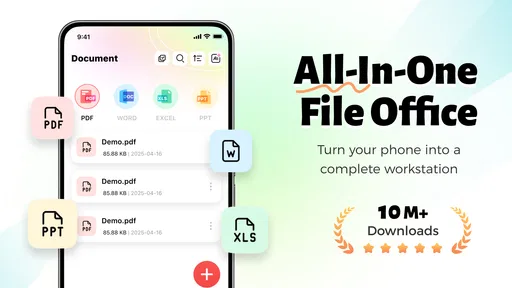
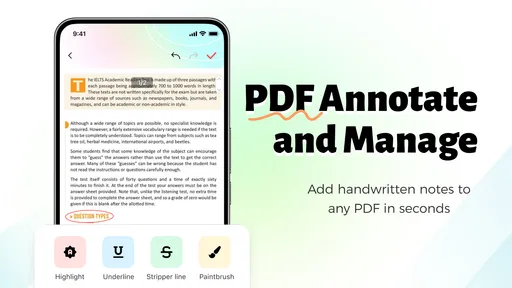
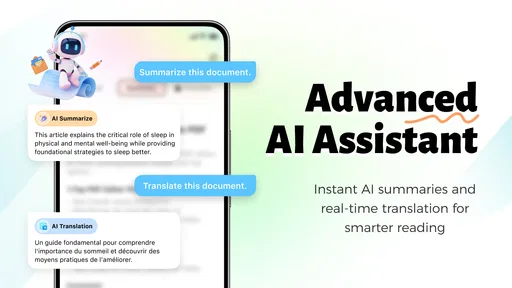
Our Review of Smart PDF Reader & PDF Viewer
 Analysis by Appyee
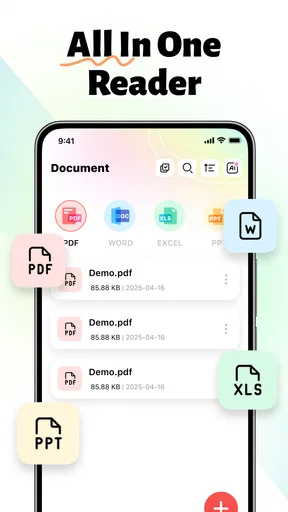
I spent time with Smart PDF Reader & PDF Viewer as a practical document tool rather than treating it like a feature checklist. My first impression was straightforward: it is aimed at people who want to open, browse, and manage PDF files without turning a simple document into a complicated task. That focus matters, because many PDF apps feel overloaded before you have even opened your first file.
Developed by Olasmg Digital, this free Android app sits in the tools category and is suitable for everyone. It runs on Android 8.0 or later, which makes it accessible to many older phones as well as newer devices. The current version is 1.2.3, and its 4.3 average from around 18 thousand ratings suggests that plenty of users find the basic experience dependable enough for everyday reading.
How Smart PDF Reader feels during everyday use
The strongest part of the app is its direct purpose. When I need to check a receipt, read a handout, review a form, or open a document sent through a messaging app, I do not want a long setup routine. A focused PDF reader should get out of the way, and this one is built around that expectation.
That does not mean every PDF task becomes effortless. A reader can be quick to open a file yet still feel awkward when you are switching between several documents, searching for a particular passage, or trying to keep track of files stored in different folders. My view is that this app makes the most sense when the phone is being used as a convenient document window, not as a full office workstation.
In a normal scenario, imagine receiving a multi-page travel confirmation while standing in a queue. I would open it, scan the pages for the relevant booking information, and close it again. For that kind of short session, a dedicated reader is more comfortable than opening a broader cloud or office suite. The smaller focus also reduces the temptation to edit or reorganize a file when all I really need is to read it.
The useful advantage is simplicity at the point of need. If your PDF habits are mostly opening documents, browsing pages, and keeping files manageable on the phone, the app’s purpose is easy to understand. It is less convincing for users who expect a complete document-production environment.
What speed feels like when opening ordinary files
Perceived speed in a PDF app depends heavily on the document itself. A short text document and a large scan place very different demands on a phone, so I would not judge the reader by how quickly one lightweight file appears. The more meaningful test is whether the app remains comfortable when moving through the kinds of documents people actually keep on their phones.
For routine reading, the focused design works in its favor. There is less reason to wait through unrelated tools before reaching the document. Browsing is also a more natural activity here than it would be in an office suite designed to do several jobs at once. That makes the app feel appropriately responsive for quick checks and casual reading.
Where expectations should be realistic is with image-heavy PDFs, long scans, and files that contain complex layouts. Those documents naturally require more processing and memory from the device. I would not choose this app—or any lightweight reader—on the assumption that every demanding file will behave like a one-page note. A short pause while a substantial document is prepared is not automatically a sign of instability.
One practical habit helps: before opening an important document in a time-sensitive situation, open it once while you still have a moment. This is especially sensible for a ticket, application form, or work attachment received shortly before you need it. It gives the phone a chance to load the file and lets you confirm that the document is readable before you depend on it.
How it handles heavier PDF moments
The difficult moments for a mobile reader are not limited to file size. They include jumping repeatedly between pages, returning to a document after another app has been used, and handling several files during a busy day. These actions expose whether the reader fits comfortably into a phone-based workflow.
I see Smart PDF Reader as better suited to sequential use than intensive multitasking. Read one document, inspect it, then move on. That approach matches the app’s narrow role and should also be kinder to devices with limited memory. If you keep many apps open, play media in the background, and then expect a large PDF to return instantly, the operating system may need to reload part of the session.
This is an important distinction: a reload after the phone has reclaimed memory is different from a document reader failing to open files. On Android, background activity is managed by the system, and older hardware has less room for several demanding tasks at once. Closing unnecessary apps before reviewing a large attachment is a sensible preparation step, not a special trick.
For study or work, I would divide a long reading session into clear stages. First open the document and locate the section you need. Then avoid repeatedly jumping out to other heavy apps if you want the reader to remain ready. If you need to compare several documents side by side, a tablet or desktop PDF workflow will usually be more comfortable than forcing a phone to act like a large monitor.
That trade-off is central to the app. Its value is not that it transforms a phone into a professional document desk. Its value is that it gives ordinary PDFs a dedicated place on the device. The less ambitious the task, the more closely the app matches what I want.
Reliability, recovery, and sensible file habits
Reliability is partly about successful opening and partly about recovering gracefully when something interrupts the session. A phone may lock, lose memory to another app, receive a file from an unfamiliar source, or move between storage locations. A good reader should be part of a workflow that anticipates those interruptions.
My recommendation is to treat the original file as important and keep it available in its normal location before beginning any serious reading. If a document is needed for travel, work, or an appointment, I would not rely on a single temporary copy inside a chat thread. Saving the file where it is easy to find makes recovery much less stressful if the reader closes or the phone needs to restart.
This is also where the app’s management role becomes useful. Browsing is not only about turning pages; it is about finding the correct document again later. A small amount of organization pays off. Use recognizable file names when possible, avoid keeping multiple confusing copies, and check that a recently received PDF has finished saving before leaving the source app.
There is a subtle advantage to this approach. When a reader is used for simple viewing rather than constant editing, the recovery path is clearer: locate the file, open it again, and continue. A large office application can offer more capabilities, but those extra layers can also make it harder to tell whether a problem belongs to the document, the storage location, or the editor itself.
I would still be cautious with damaged or unusually complicated files. No reader should be treated as a guarantee that every PDF created by every program will display perfectly. If a document looks wrong, the practical next step is to compare it with another trusted viewer or ask for a fresh copy. That is a document-quality issue as much as an app issue.
Older phones and the Android 8.0 requirement
The minimum requirement of Android 8.0 is one of the more useful facts for people choosing a reader for an older handset. It does not promise identical performance across all compatible devices, but it does show that the app is not limited to the newest Android releases. Someone keeping an older phone for basic communication and documents can reasonably consider it.
Hardware still matters. A modern phone with more memory should have an easier time switching between a PDF and other apps than an older model with limited resources. Storage also affects the overall experience: a phone that is nearly full can become frustrating for many tasks, including receiving and opening documents. Keeping some free space is a general maintenance step that supports smoother everyday use.
Battery demand is difficult to separate from the PDF itself. Reading a mostly text-based document is a different workload from repeatedly viewing pages packed with images. Screen brightness, network activity from other apps, and background processes may have a larger effect on a short reading session than the reader alone. I would therefore judge this app as a focused tool, not as something that should be blamed for every battery change during a busy day.
Users with accessibility needs should also test their preferred reading habits early. A PDF can contain tiny text, fixed page layouts, or scans that behave differently from selectable digital text. The app may open the file successfully while the document remains difficult to read. In that situation, the limitation is the PDF’s construction, and a desktop tool or an OCR-focused solution may be a better choice.
Where it fits beside other PDF options
The usual alternatives fall into several groups. A mobile office suite may combine PDF viewing with document editing, cloud storage, and conversion tools. A browser can sometimes open a PDF quickly, especially when a file arrives through the web. A file manager may provide basic previews. Desktop readers generally offer more room, stronger navigation, and a better setup for extended work.
Smart PDF Reader has a clearer appeal than those broader choices when the goal is a dedicated, uncomplicated reading experience. I would pick it over an office suite for a quick document check if I did not need editing or collaboration. I would also prefer a focused reader to a browser when I want PDFs to feel like files on the phone rather than temporary pages in a tab.
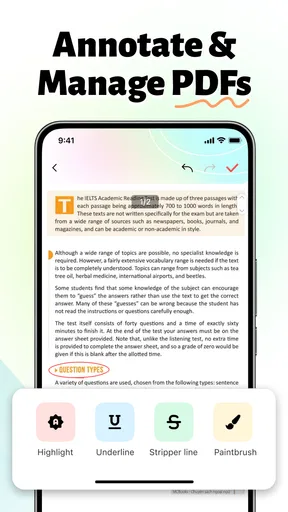
The comparison changes when the job becomes professional. If you regularly annotate contracts, fill complex forms, sign documents, compare revisions, extract content, or collaborate with a team, you should look for an app built around those tasks. A reader can be excellent at opening and browsing while still being the wrong tool for document production.
There is another trade-off involving convenience. A broader suite may connect more naturally to an existing cloud or office workflow, while a focused app may feel cleaner for local reading. Neither approach is universally better. I would choose based on the next action: read the PDF, or work on the PDF. For reading, this app is easier to justify; for editing, a specialized alternative is likely more suitable.
Three practical habits that improve the experience
First, prepare important documents before you need them. Open a travel pass, appointment form, or work attachment in advance, confirm that it displays properly, and keep the file in a known location. This avoids discovering a storage or document problem at the worst possible moment.
Second, separate reading from heavy multitasking. If the phone is already running navigation, video, games, and several background services, give the PDF a cleaner environment. This is particularly worthwhile with long scans or image-rich files. It reduces the chance that the system will reclaim the reader while you are moving between apps.
Third, use the app as a viewing checkpoint before committing to a larger workflow. Open a document on the phone to confirm that the right file arrived, then move to a tablet or computer if the task involves detailed comparison or extended editing. This two-stage workflow saves time because you can catch missing pages or an incorrect attachment early without pretending the phone is the best place for every document job.
A fourth habit is useful for shared devices: keep document names clear and avoid relying on memory alone. When several files arrive with similar names, the management part of a PDF app becomes more valuable than simply having another way to display pages. A little organization prevents the common mistake of opening an outdated copy.
Who should use it, and who should pass
I would recommend this app to students who mainly read handouts, commuters who check tickets and confirmations, families who open forms and receipts, and workers who need a quick way to inspect attachments away from a desk. It is also a reasonable option for someone with an older compatible Android phone who wants a dedicated PDF tool without paying for the basic experience.
The free price makes it easy to try without turning the decision into a financial commitment. Its everyone rating also makes the audience broad, though that should not be confused with suitability for every workflow. A family-friendly age classification says little about whether the app has the specialist tools required for legal, academic, or business document work.
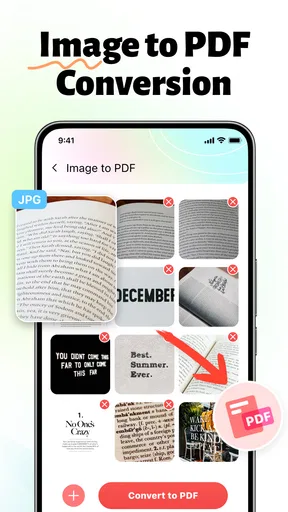
I would skip it if your main reason for installing a PDF app is advanced editing, detailed annotations, signatures, document conversion, or team collaboration. I would also look elsewhere if you spend hours reading dense technical PDFs on a small phone screen. In those cases, a larger display or a more specialized document platform will probably deliver a better experience, even if it is less simple.
People who depend on a tightly integrated cloud office system may likewise prefer to stay inside that ecosystem. Switching to a separate reader can add an extra step when files already live in a service that handles opening, sharing, and editing together. The standalone approach is most attractive when you value a focused reader and do not need those connected tools every time.
My performance verdict
After looking at speed expectations, heavier use, recovery, and device constraints, I see Smart PDF Reader as a practical utility with a sensible boundary. It is not something I would present as a replacement for a full desktop document setup. It is a way to make ordinary PDF reading less cumbersome on an Android phone.
The app’s strongest case is consistency of purpose: open a file, browse it, and manage it without carrying an entire office suite into a simple task. Its performance should be judged according to that role, with realistic expectations for demanding scans, older hardware, and phones already crowded with background activity.
With over one million installs, it has clearly reached a substantial audience, and the current 4.3 average gives it a credible starting point for anyone comparing basic readers. I would not install it solely because of those figures, but they do make it worth considering alongside browser viewing and broader office apps.
My final recommendation is simple. If you want a free, focused PDF tool for everyday Android reading and your device runs Android 8.0 or newer, this is a sensible app to try. Keep important files organized, test demanding documents before relying on them, and move to a larger or more specialized solution when reading turns into serious document work. For quick access and uncomplicated browsing, this is where Smart PDF Reader & PDF Viewer makes the most sense.
Verdict
Strengths of Smart PDF Reader & PDF Viewer
- Opens PDFs quickly, even when switching between several stored documents.
- Clear page rendering keeps text readable on both phones and tablets.
- Useful search makes finding words or phrases within long files simple.
- Supports convenient zoom controls for comfortable reading on smaller screens.
- Recent-file access helps you return to documents without browsing folders again.
Limitations of Smart PDF Reader & PDF Viewer
- Some advanced editing and annotation tools may require a paid upgrade.
- Large or image-heavy PDFs can use noticeable storage and memory.
- The interface may feel crowded when many viewer options are displayed.
- Ads can interrupt the experience in the free version.
- Cloud and file-sharing support may vary depending on the device or file source.
Other Releases by Olasmg Digital
View All
PDF Reader-Swift Doc Converter
Productivity4.5
Similar Picks in This Category
View All
Google LLC4.0

Gboard - the Google Keyboard
Google LLC4.5

Google Play services
Google LLC4.3

Google Play Store
Google LLC4.9

Files by Google
Google LLC4.5

SHAREit: Transfer, Share Files
Smart Media4U Technology Pte.Ltd.4.3
Frequently Asked Questions
What is Smart PDF Reader & PDF Viewer used for?
Smart PDF Reader & PDF Viewer is designed for opening, reading, and managing PDF documents on a mobile device. After testing it, I found it useful for viewing study materials, manuals, forms, ebooks, and work documents without needing a desktop computer. Depending on the version, it may also include tools for searching text, zooming, bookmarking pages, and organizing recently opened files.
Can Smart PDF Reader & PDF Viewer open all PDF files?
The app should open most standard PDF documents, including text-based files, scanned pages, and documents containing images. However, very large, damaged, password-protected, or unusually formatted PDFs may not display perfectly on every phone. Some advanced elements, such as interactive forms, embedded multimedia, digital signatures, or specialized fonts, may also have limited support compared with full desktop PDF software.
Does Smart PDF Reader & PDF Viewer work offline?
Yes, the basic reading experience generally works offline once a PDF has been downloaded or stored on your device. This makes the app convenient for traveling, studying, or accessing documents where mobile data is unavailable. Internet access may still be required for downloading files from cloud services, displaying advertisements, checking for updates, or using any online features included in the particular app version.
Is Smart PDF Reader & PDF Viewer free to download and use?
The application may be available as a free download, but users should check the store listing carefully because features, advertising, and optional purchases can vary by version. Free editions commonly provide standard PDF viewing, while premium options may remove advertisements or unlock additional tools. Before installing, review the permissions, subscription terms, and in-app purchase information shown on Google Play or the App Store.
Is Smart PDF Reader & PDF Viewer safe for private documents?
For ordinary reading, the app can be convenient, but privacy-conscious users should still review its permissions and privacy policy before opening sensitive files. Avoid granting access that is not necessary for selecting or managing documents, and be careful when using sharing or cloud-related functions. For confidential financial, legal, or business PDFs, confirm how files are stored and whether they leave the device before relying on the app.
